 omarepos Coming soon
Every git repository on your machine, on one screen. A keyboard-first overview for Omarchy — what's uncommitted, what's unpushed, what's waiting to be pulled, and who did what.
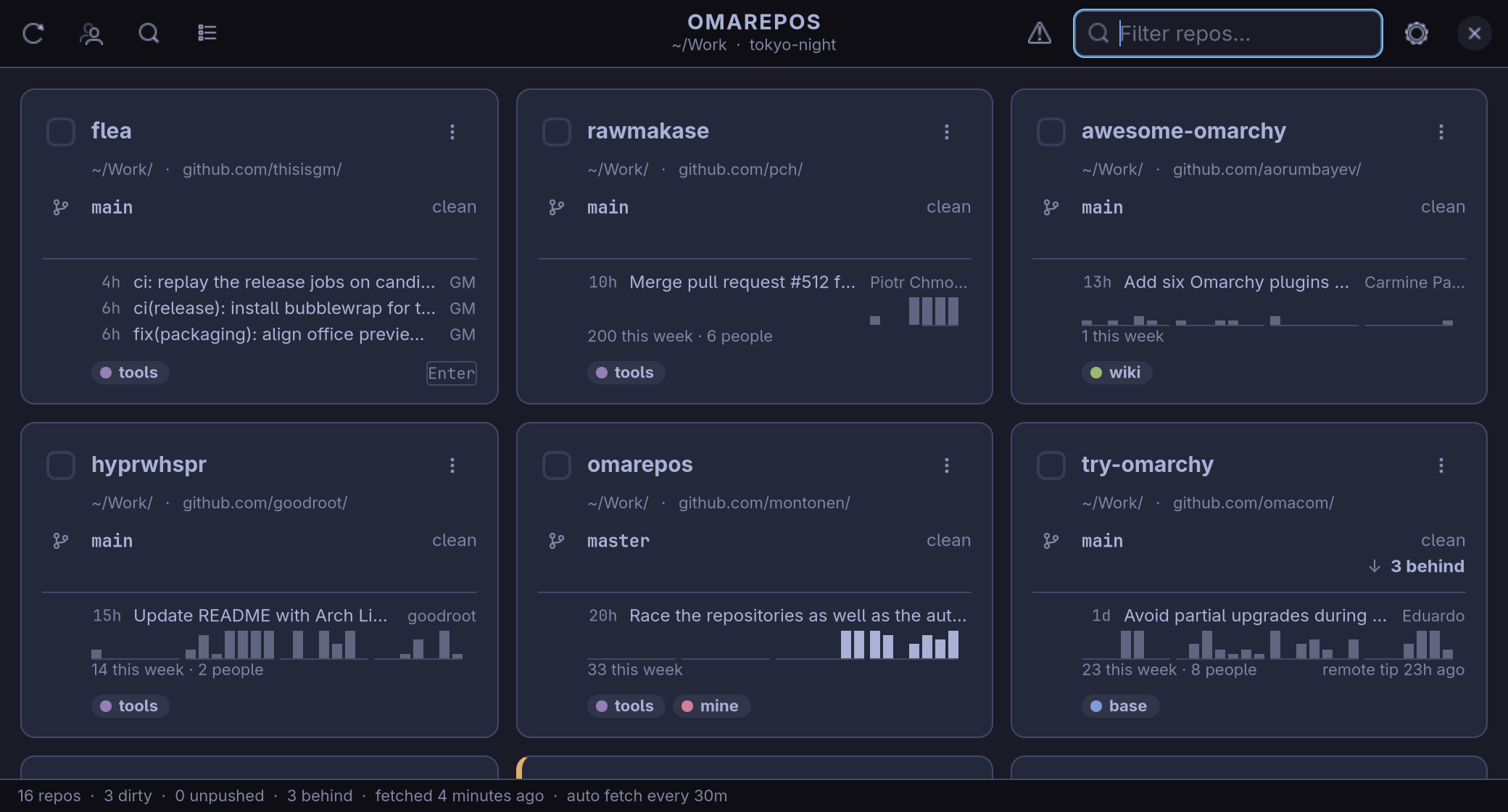
One card per repository
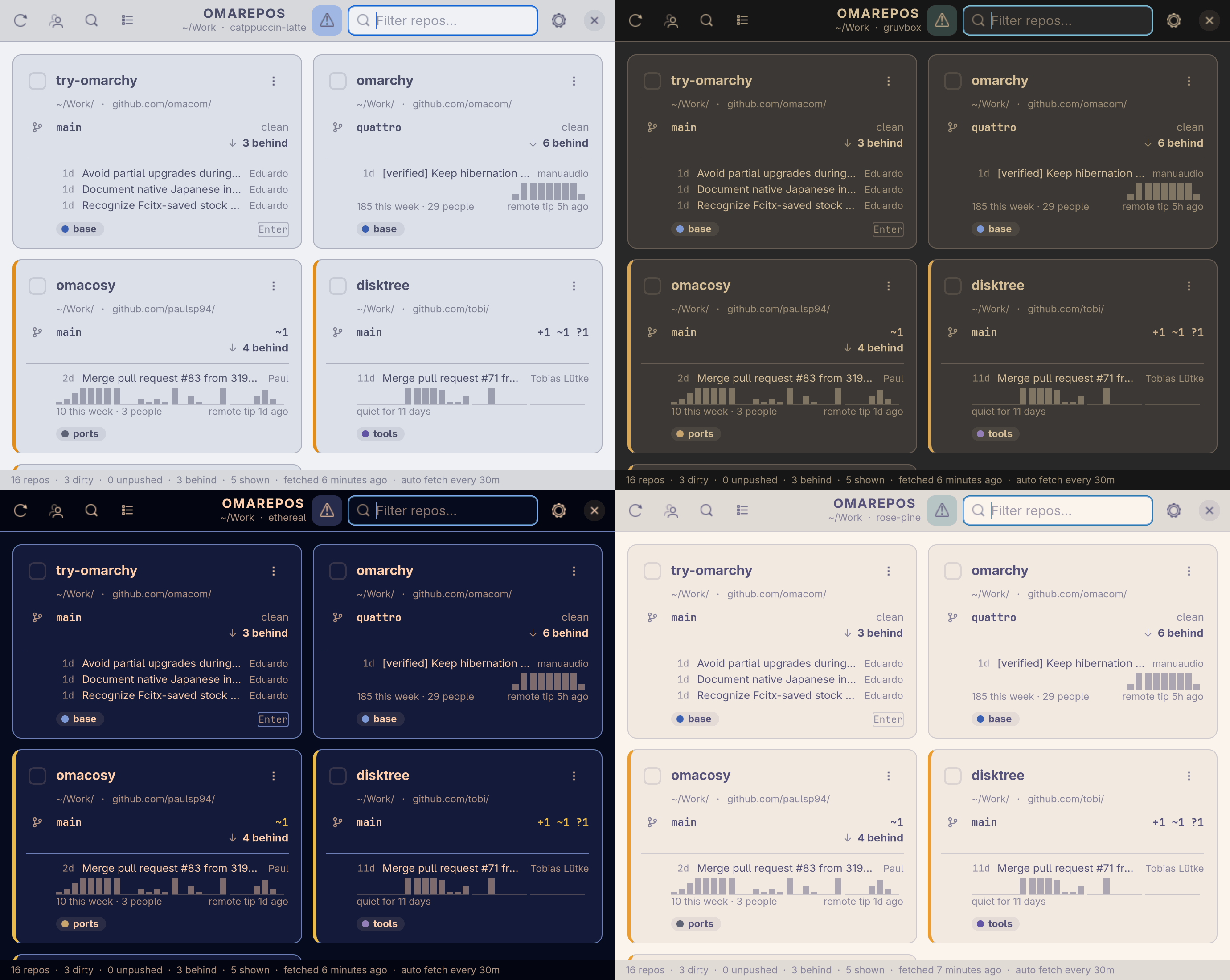
Every repository under the folders you point it at, as a card, and every fact in a place of its own, the same on every card.
Colour is kept for what needs you: yellow for uncommitted work, the accent for commits that exist nowhere else, red for trouble. A quiet fleet is a grey one.
- Branch And on the right what is uncommitted:
+1 ~3 ?4is one staged, three modified, four untracked. - Sync
↑ 2 aheadis what exists only here,↓ 28 behindwhat is waiting on the remote. - Commit The last one: how old, what it says, and who wrote it when that was not you.
- Lately Commits a day over four weeks, yours solid and other people's fainter.
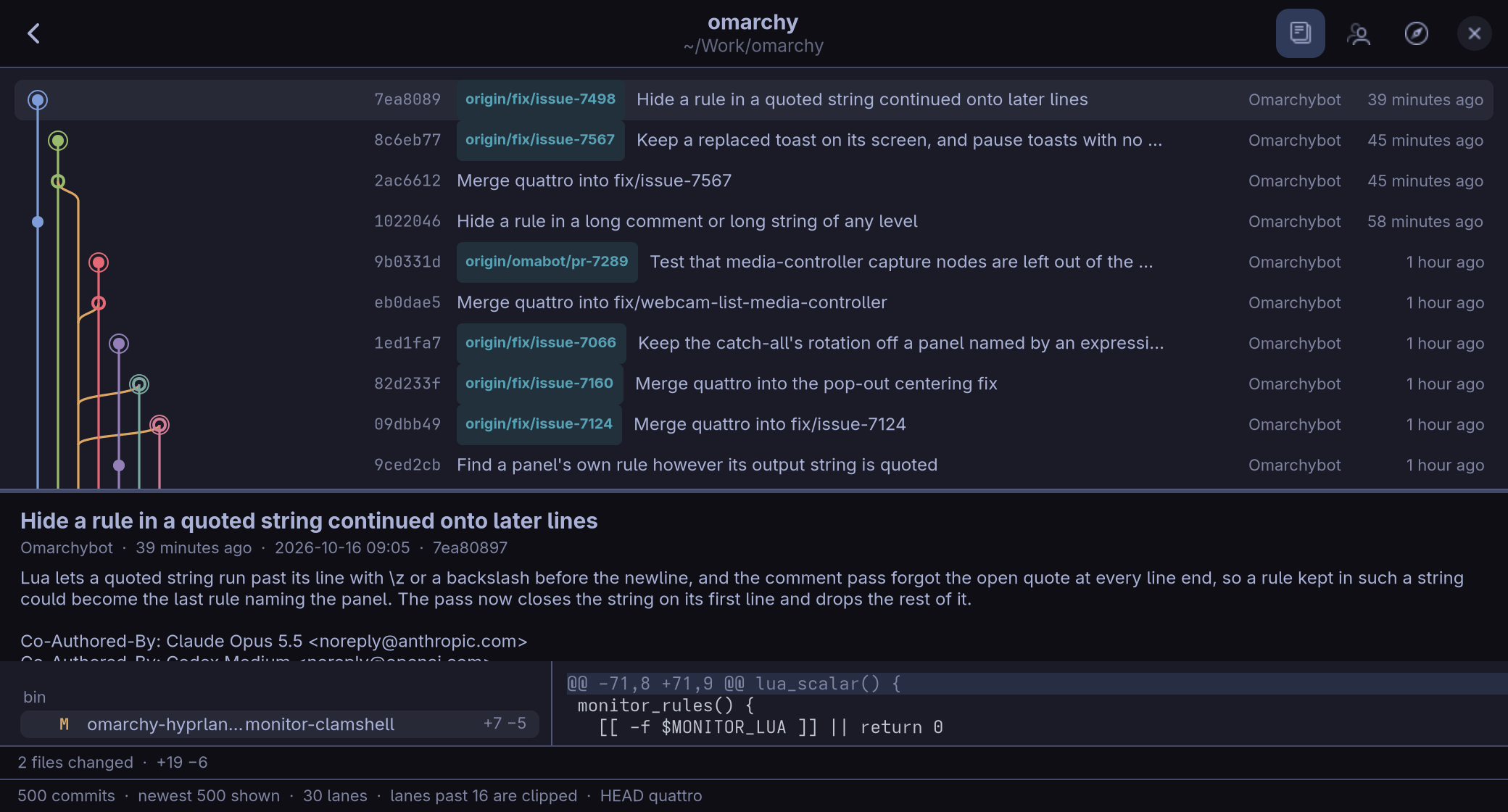
One repository
Enter on a card opens its commit graph: every branch in a lane of its own, merging where the merges really were, with branches and tags named on their commits. The pane below shows what the selected commit changed, as a tree of files and a highlighted diff.
Type a few letters to find a repository, tag:work or lang:rust to narrow the grid, and one key opens a terminal there with your preferred git CLI, like lazygit, another your editor, a third its page on the web.
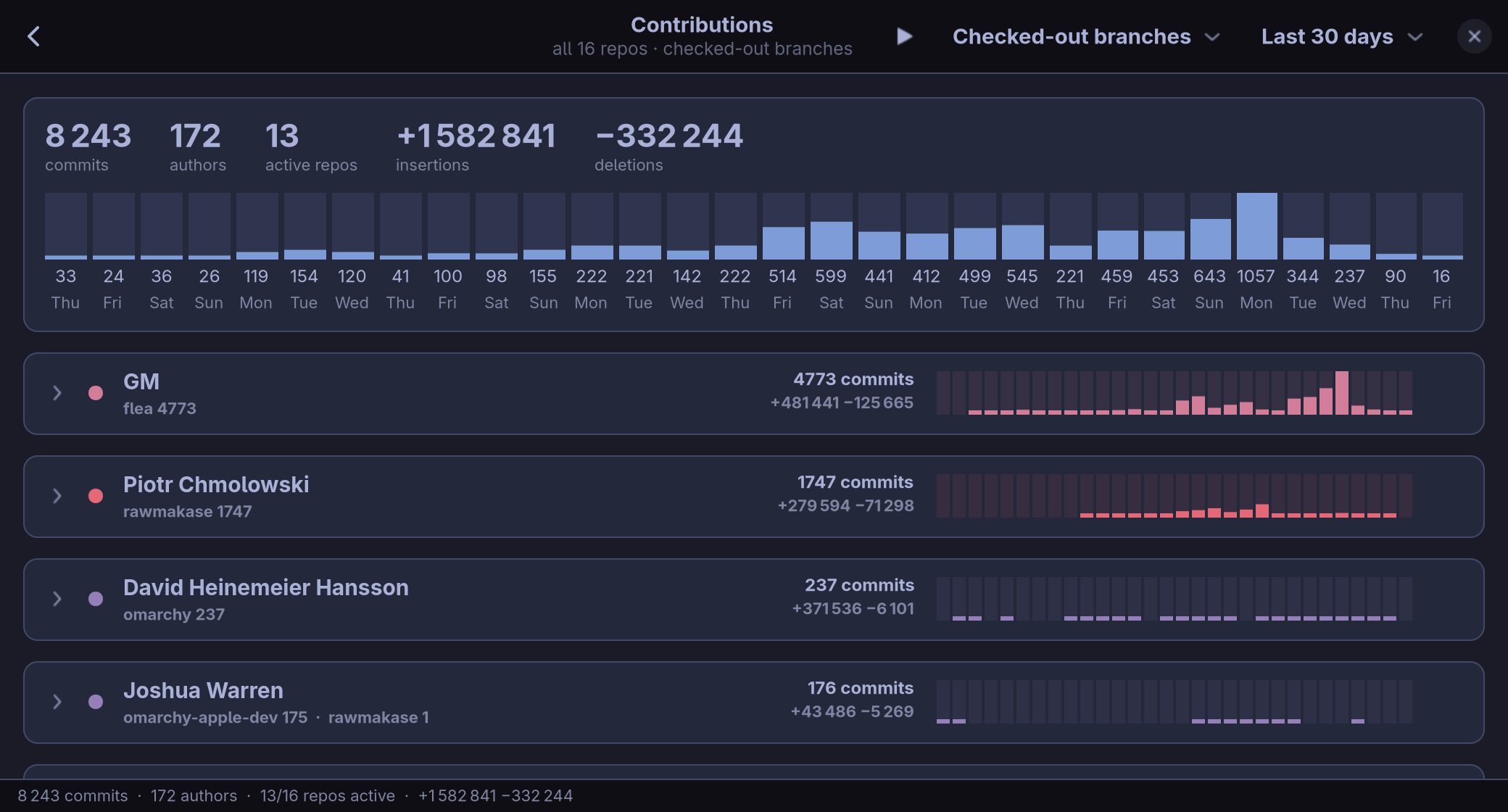
Who did what
Commits and lines per author, from the last week to the last twelve months, across the whole fleet or the repositories you picked, with a mailmap honoured. A row opens to the commits themselves.
Set yourself aside and the figures above are everybody else's, ready for a screenshot.
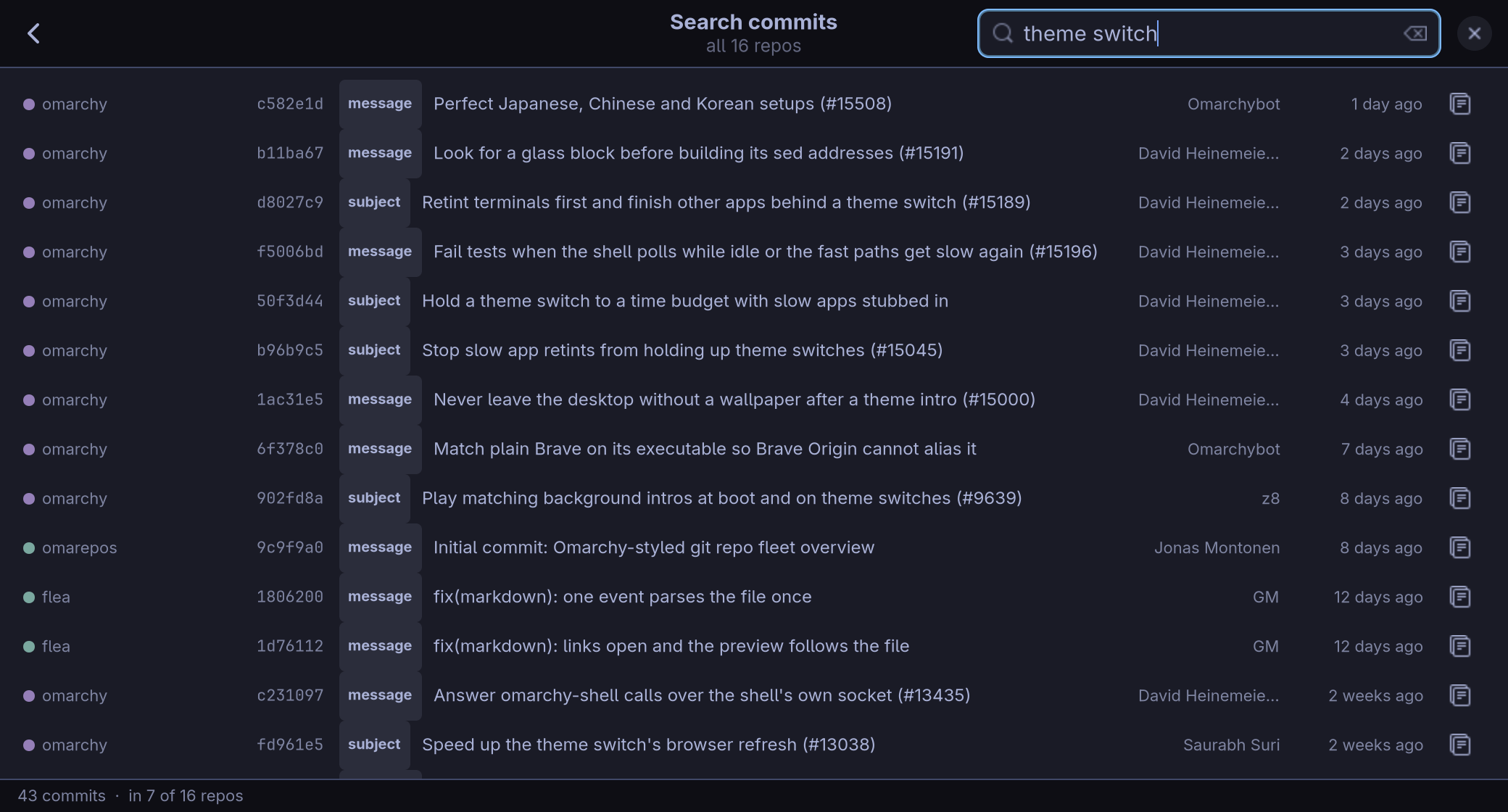
Every history, searched at once
One query across every repository: subjects first, then the rest of each message, the author and a sha prefix, each result saying which matched. From the grid, from Contributions or from a commit graph, with Ctrl+Shift+F.
Careful by design
A tool pointed at every repository you have should be able to say what it does to them in a sentence. omarepos reads them, it fetches, and when you ask it brings one clean branch up to date.
- Reading never runs git Everything shown is read from disk with libgit2, and nothing is written.
- Fetching is git's own With your credential helpers and SSH setup, when you ask or on a timer you switch on.
- One update, when you ask p fast-forwards a branch that is clean and only behind. The timer never does.
- Nothing else It never stages, commits, pushes, rebases, stashes or resets. For that, one key hands you a terminal.
Follows your theme
The window takes its colours from the active Omarchy theme, the way Omarchy's own templates do, and repaints the moment the theme changes. Here the same four cards in Catppuccin Latte, Gruvbox, Ethereal and Rose Pine.
Just for fun: the race
Press r on Contributions and the same figures play as a race, of the authors or of the repositories, day by day. A number of commits is not a good measure of anybody's work. But it does look cool.
The keys
Everything has a key, and F1 lists them in the app.
| Key | What it does |
|---|---|
| Enter | Open the commit graph |
| l | A terminal there, with your preferred git CLI, like lazygit |
| e | Your editor |
| o | Its page on the web |
| f | Fetch |
| p | Fetch, and fast-forward a clean branch |
| Ctrl+G | Contributions |
| r | The race, on Contributions |
| Ctrl+Shift+F | Search every commit |
| Space | Tick a repository |
| / | Filter |