 omamv
A folder of Markdown, read like a book. A read-only, keyboard-first viewer for Omarchy — omamv . opens a folder, every .md and .txt file a few letters away, drawn in your theme.
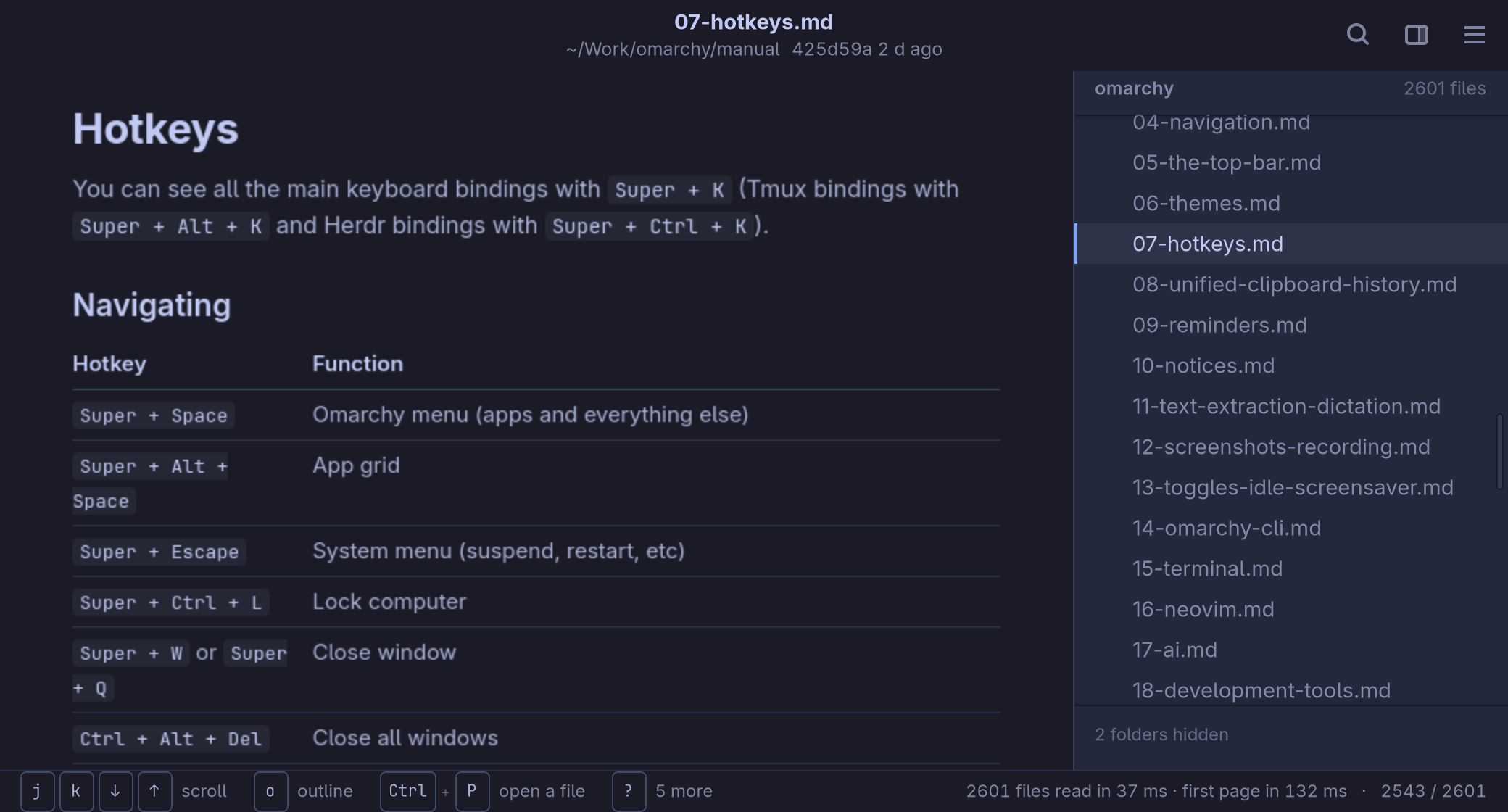
Made for reading
A quiet page at a reading width, in the active Omarchy theme, with the folder beside it: only the folders that hold something to read, and what .gitignore leaves out left out.
It is what agents write all day — plans, reviews, reports across thirty repositories — without opening an editor to read it. Here, the Omarchy manual: 2,601 files read in 24 ms, the first page drawn in about a tenth of a second.
- Markdown as GitHub draws it Tables, task lists, footnotes, alerts, and code highlighted in the theme's colours.
- Diagrams Mermaid and PlantUML, drawn in place, in the same colours.
- Obsidian vaults
[[wikilinks]]are links, found the way Obsidian finds them; front matter is a quiet block of facts. - HTML reports Scan and test reports shown as their author made them, without their scripts. Off until you turn it on.
Any file, a few letters away
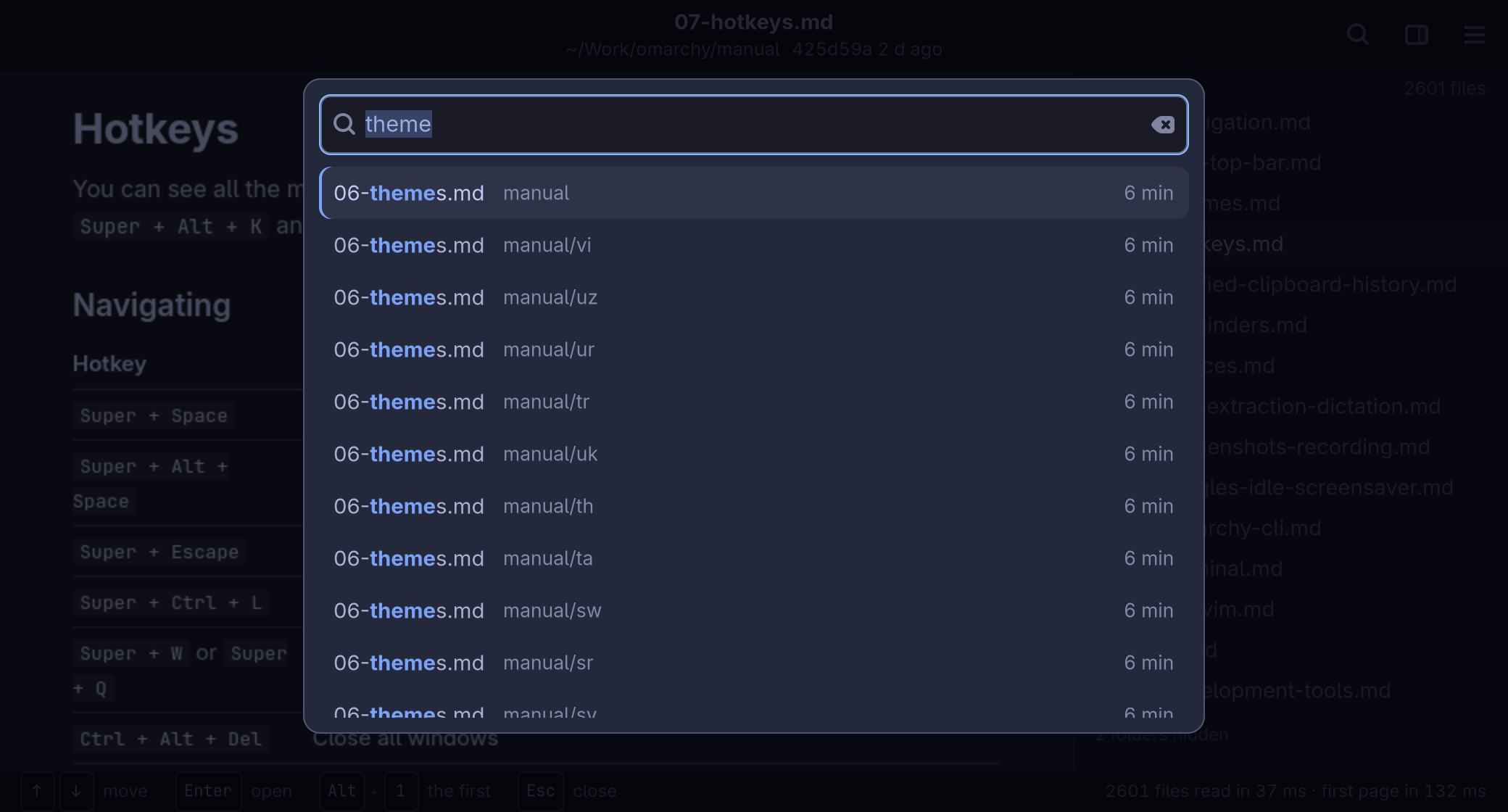
Ctrl+P lists every file in the folder, the newest first with its age, so the report an agent just wrote is on top. A few letters find any of them; here every translation of the manual's page on themes.
] and [ step through the folder file by file, H and L or the mouse's thumb buttons go back and forward through what you read, each at the place you left it.
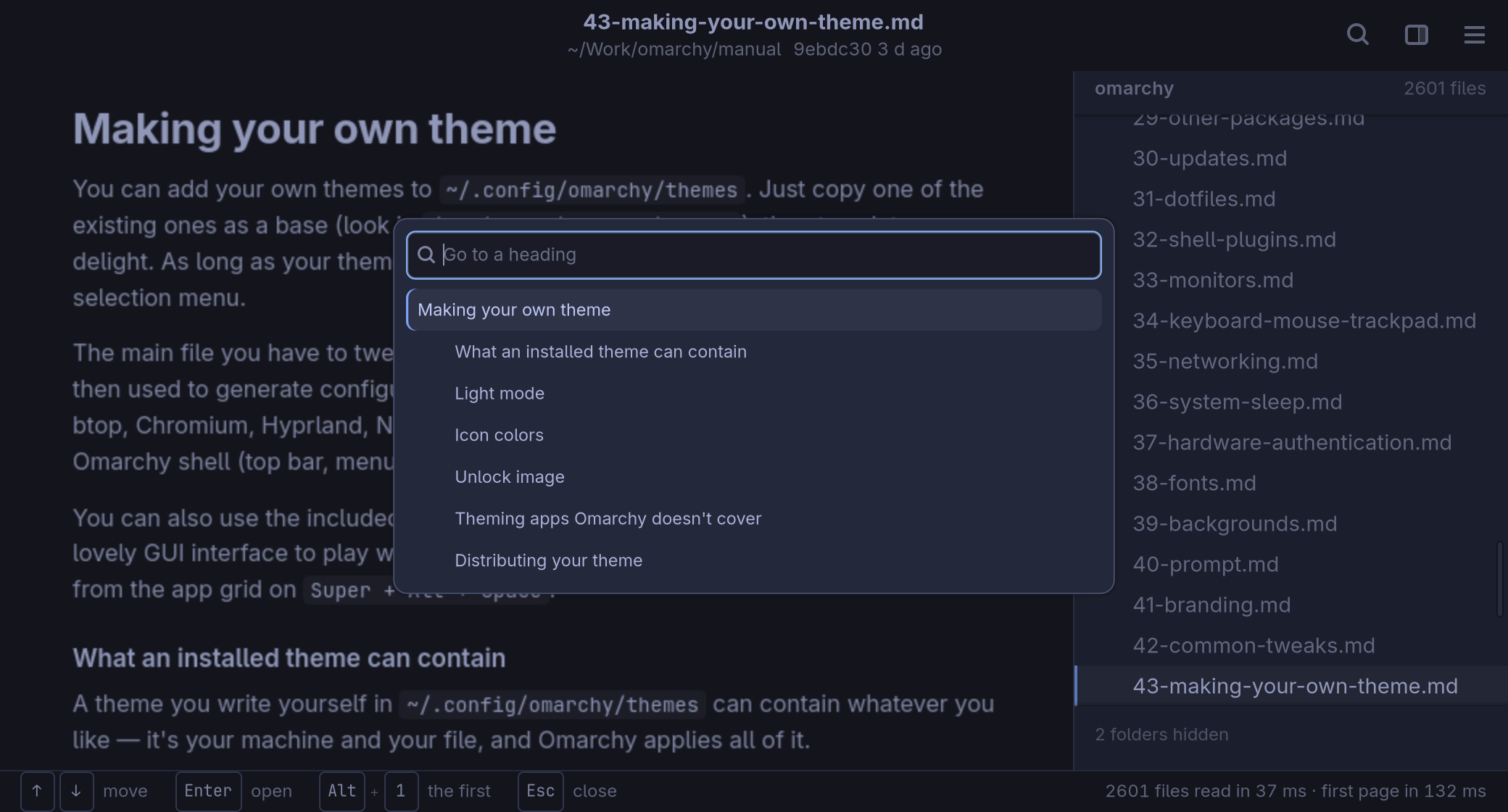
The shape of a long page
o opens the page's outline, its headings by depth, to jump to one by a few letters. / finds in the page, and keeps the place when you are done.
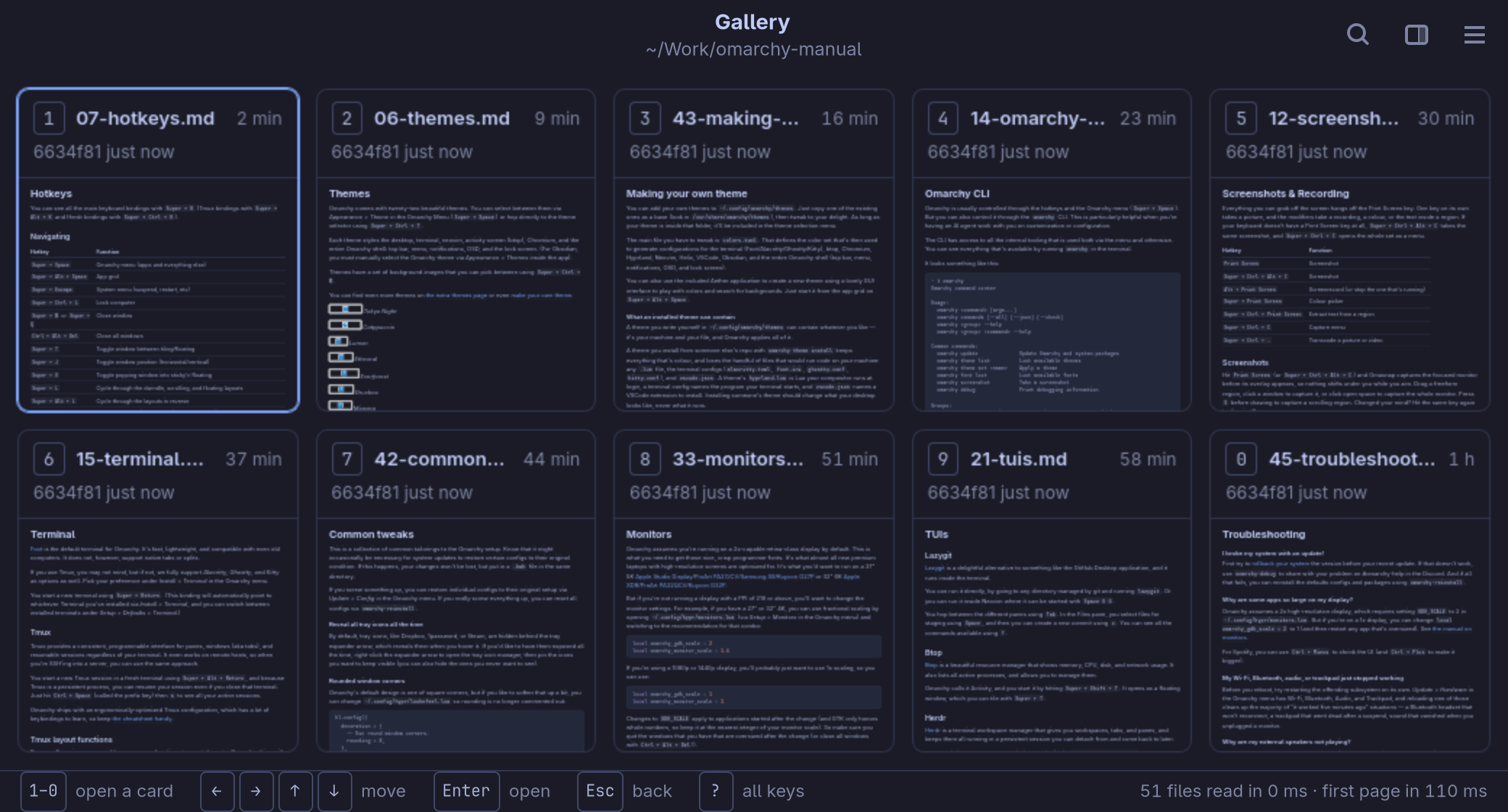
The newest ten, at a glance
Ctrl+G fills the window with the ten files changed most recently, five a row, each the top of its page drawn small — what three agents just wrote, side by side, before you open any of them.
1 to 0 opens one, and back brings you to the gallery again. A file written while it shows takes its place among the ten.
Follows the disk
Save a file in your editor, or let an agent write one, and the page is drawn again where you were reading. A new file is named in the status bar the moment it appears.
- Where you left it A folder opens on the file you read last there, at the same heading.
- Its place in git The header says whether the file is modified, staged or new, and the last commit that changed it.
- The whole page as a picture Ctrl+Shift+S saves it as one tall image and copies it, without stitching a screenshot together.
- Your editor, one key away e opens the file in Omarchy's editor, or the one you set.
Careful by design
omamv opens folders it did not write — a cloned repository, a downloaded report — so what it does to them fits in a sentence: it reads them.
- Never writes Its settings and its memory of where you were live in its own folders, never in the one you read.
- Nothing runs A script in a document or a report never runs, and no link can start a program.
- Nothing phones home Nothing loads from the network but pictures a document links to, and that is a switch.
- Git, read only The state in the header is read with libgit2. No git command runs.
Follows your theme
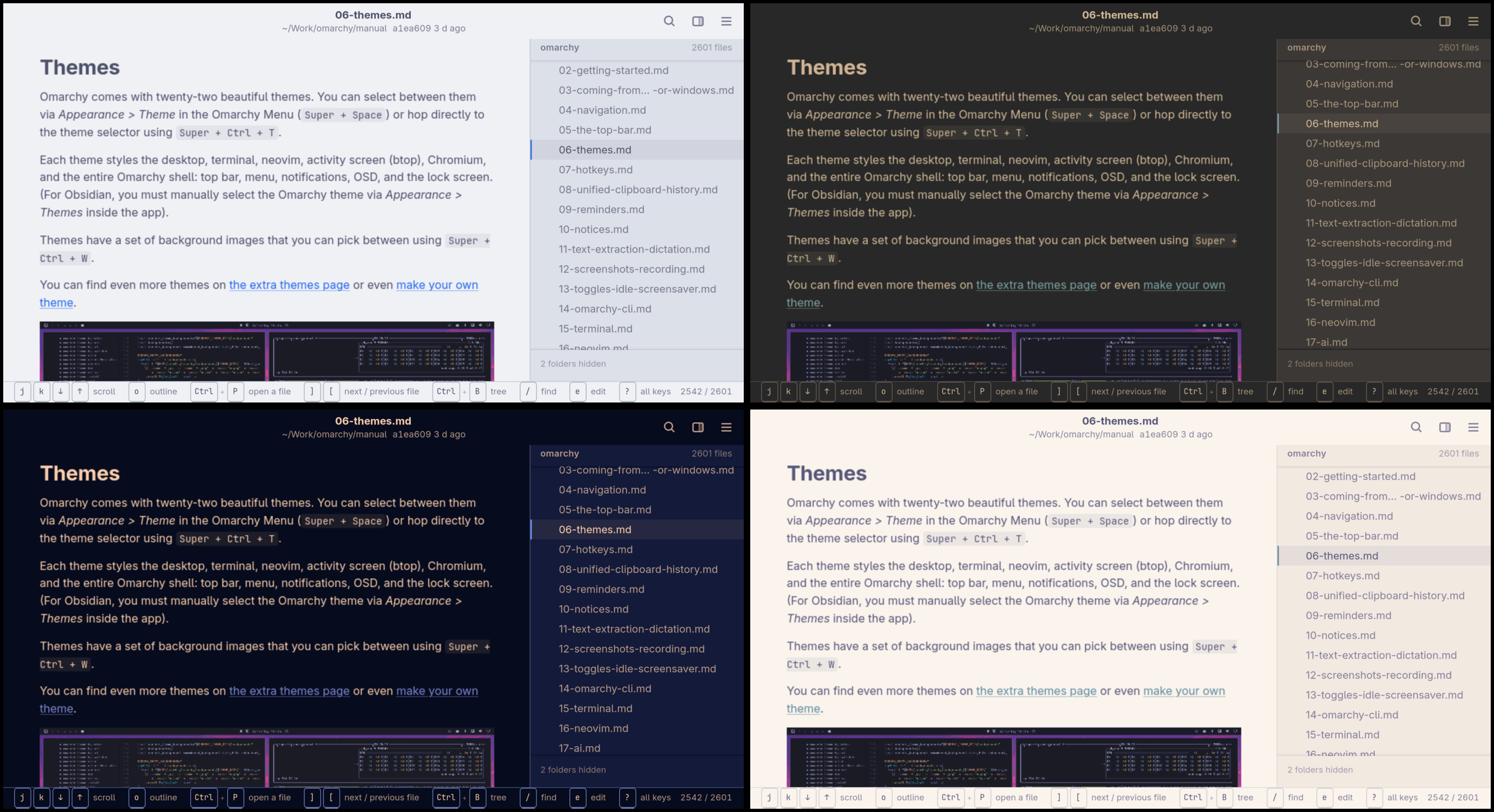
The page, the tree and the code take their colours from the active Omarchy theme, and repaint the moment it changes. Here the manual's page on themes in Catppuccin Latte, Gruvbox, Ethereal and Rose Pine.
The keys
Everything has a key. The status bar shows the ones that matter where you are, holding Ctrl shows what it does, and ? lists them all.
| Key | What it does |
|---|---|
| j k · d u · g g G | Scroll, half a page, top and end |
| Ctrl+P | Open a file, the newest first |
| ] [ | Next and previous file |
| H L | Back and forward |
| o | The outline |
| Ctrl+G | The gallery of the newest ten, 1–0 to open one |
| / | Find in the page |
| Ctrl+B | The folder tree |
| e | Your editor |
| y | Copy the file's path |
| Ctrl+Shift+S | The whole page as a picture |
| Ctrl+, | Settings |